
Upload the appraisal. Get back a review that’s already done the reading.
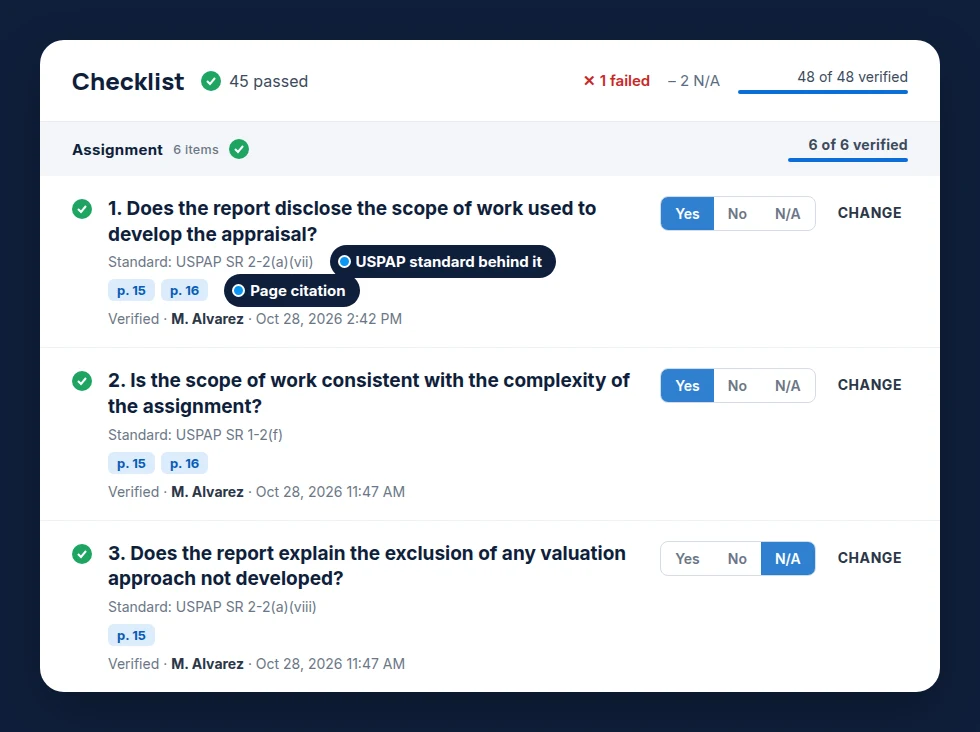
Valcre Report Review prefills your review checklist, cites the page behind every answer and checks the math. Your reviewer makes every call.
See Report Review in 60 seconds
What review costs today
Figures shared by bank chief appraisers in Valcre interviews and an Appraisal Institute chapter panel, 2026.
Review is the bottleneck. It doesn’t have to be.
- Page-by-page checklist huntingAI-prefilled checklist with page citations
- Re-keying math into ExcelKey figures recalculated automatically
- Comps trapped in PDFsComps extracted as structured data
- Findings written up in WordA draft review memo, generated for you
- “Who verified this?”Verification stamp and audit trail on every item
From finished appraisal to signed review
- 1
Upload
Add the engagement letter and the appraisal PDF.
- 2
Read
The full report is read and extracted.
- 3
Check
Checklist, math, scope and findings, prefilled.
- 4
Decide
Your reviewer verifies every item.
- 5
Memo
Create, sign and export the review memo.
The reading, the math and the write-up, done first
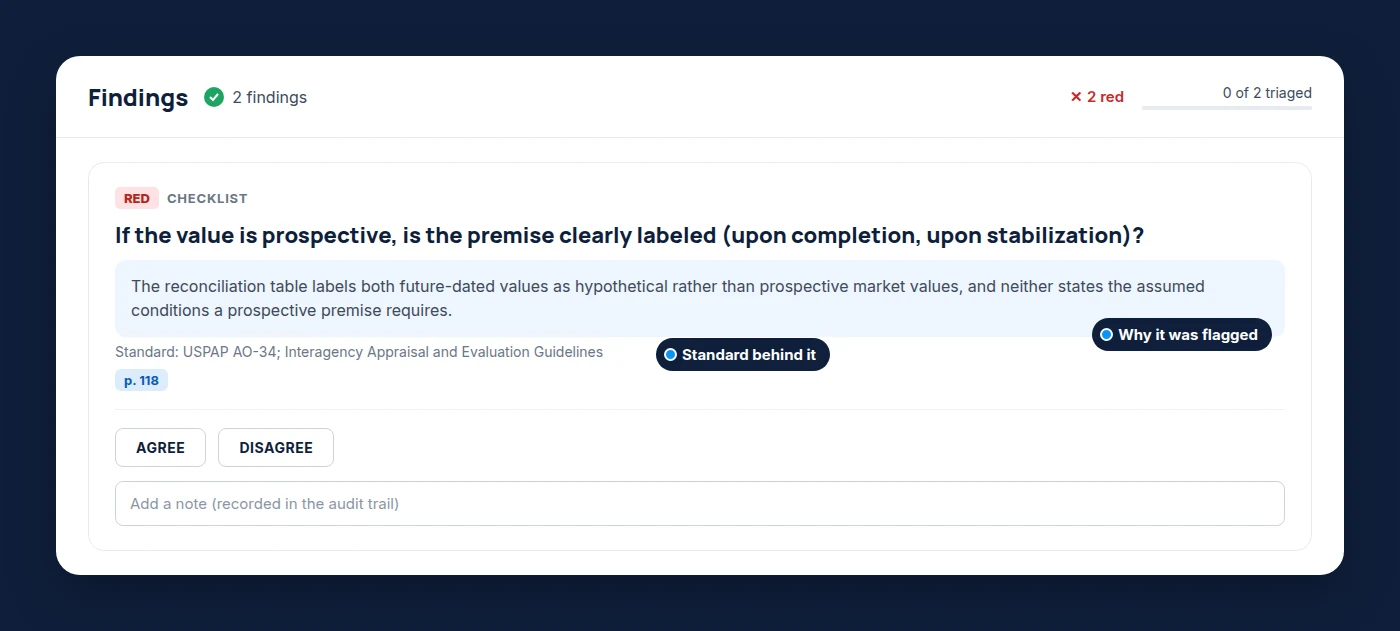
Findings explain what’s missing
Plain-language reasons, the pages checked, and a one-click agree or disagree.
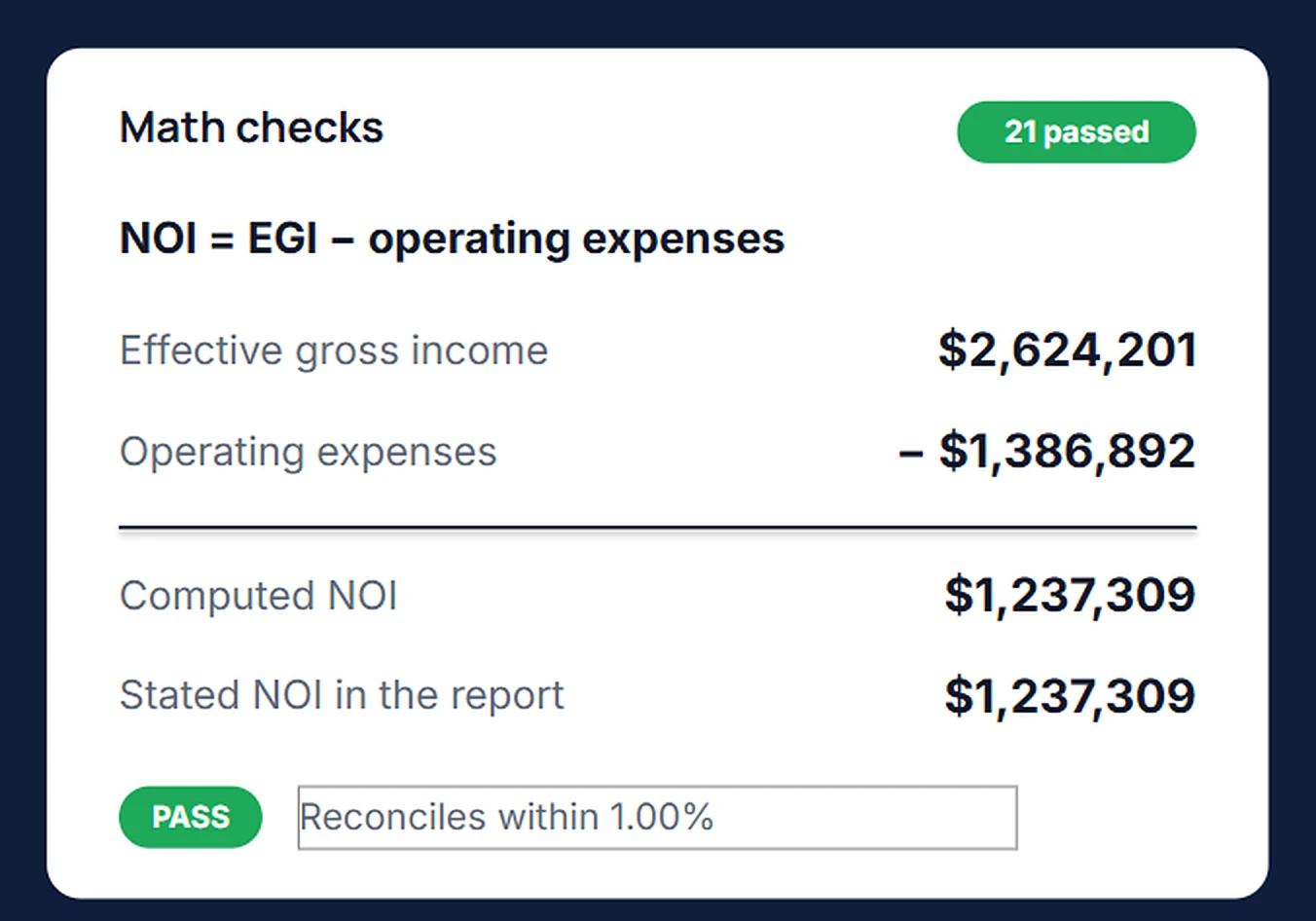
Key figures, recalculated
Calculated, not generated. Same inputs, same answer, every time.
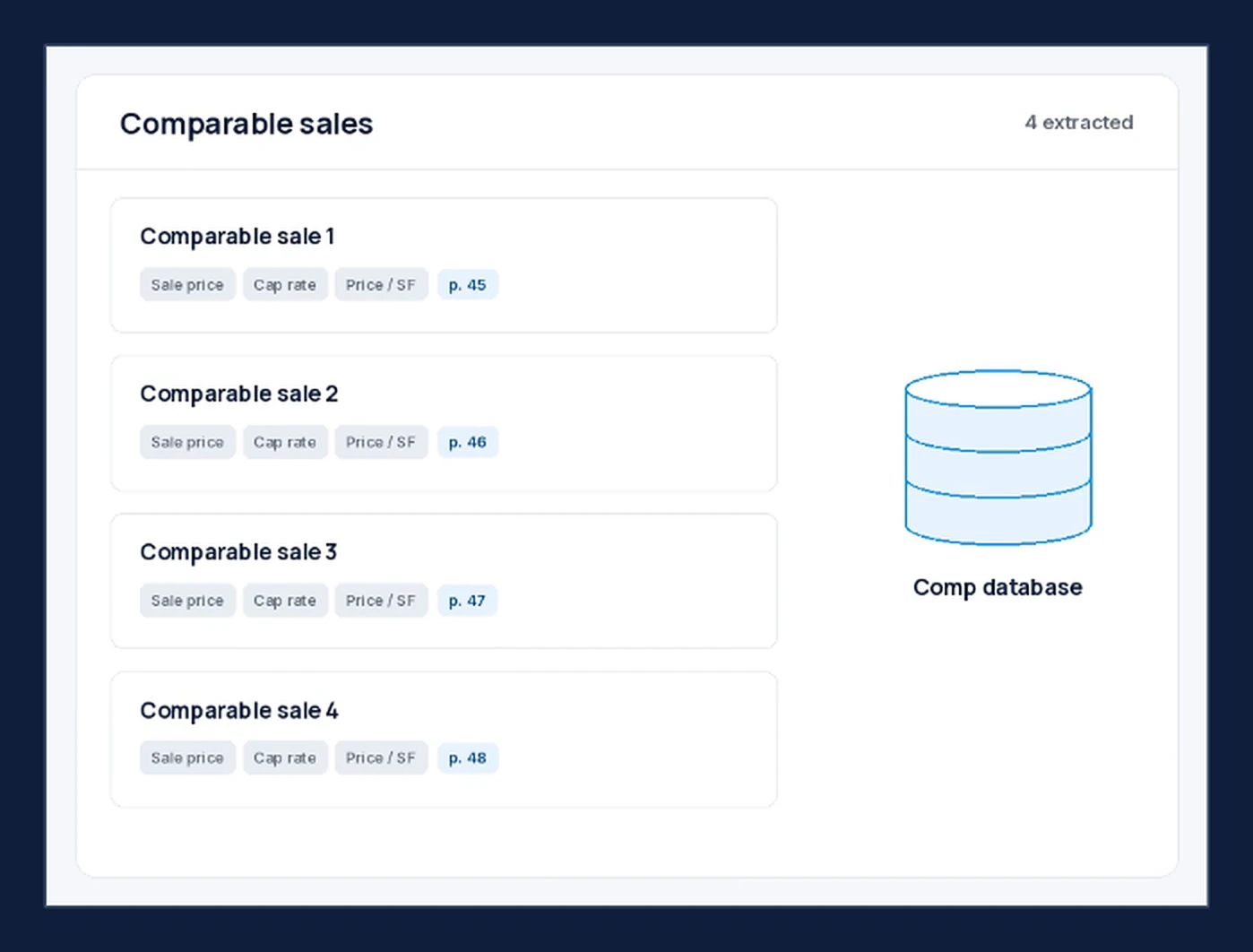
Every comp, pulled from the report
Sale price, cap rate and price per SF, each with a page reference, saved as searchable data.
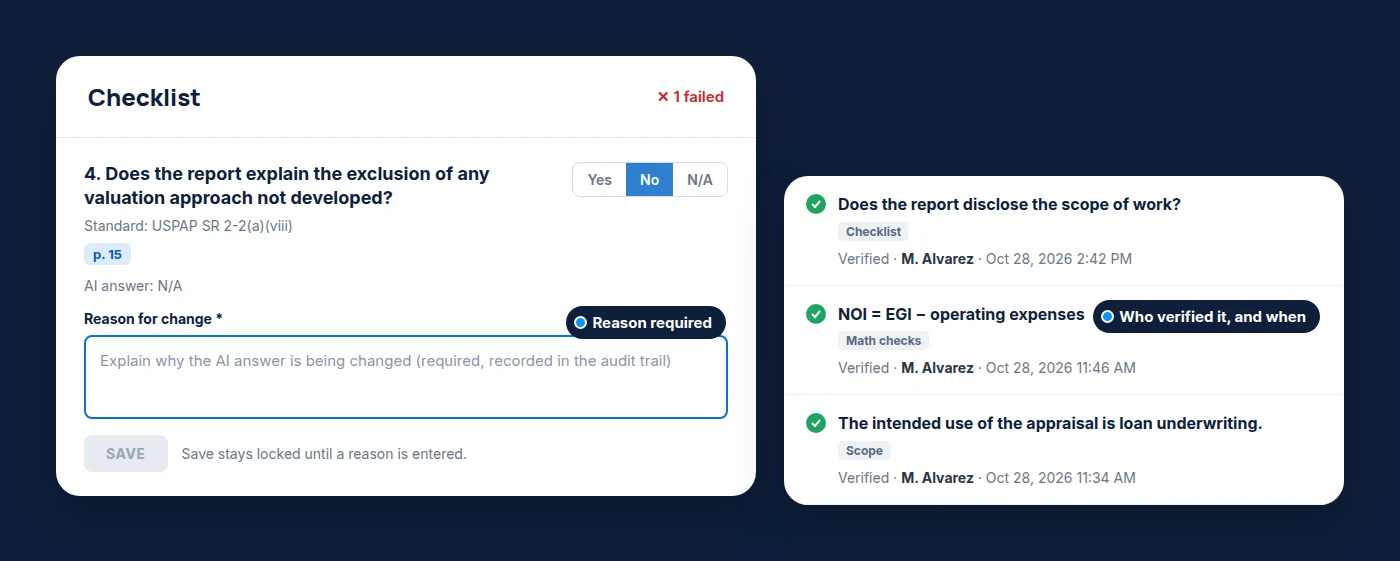
Your reviewer decides, on the record
Overrides need a written reason. Every verification is stamped with who made it and when.
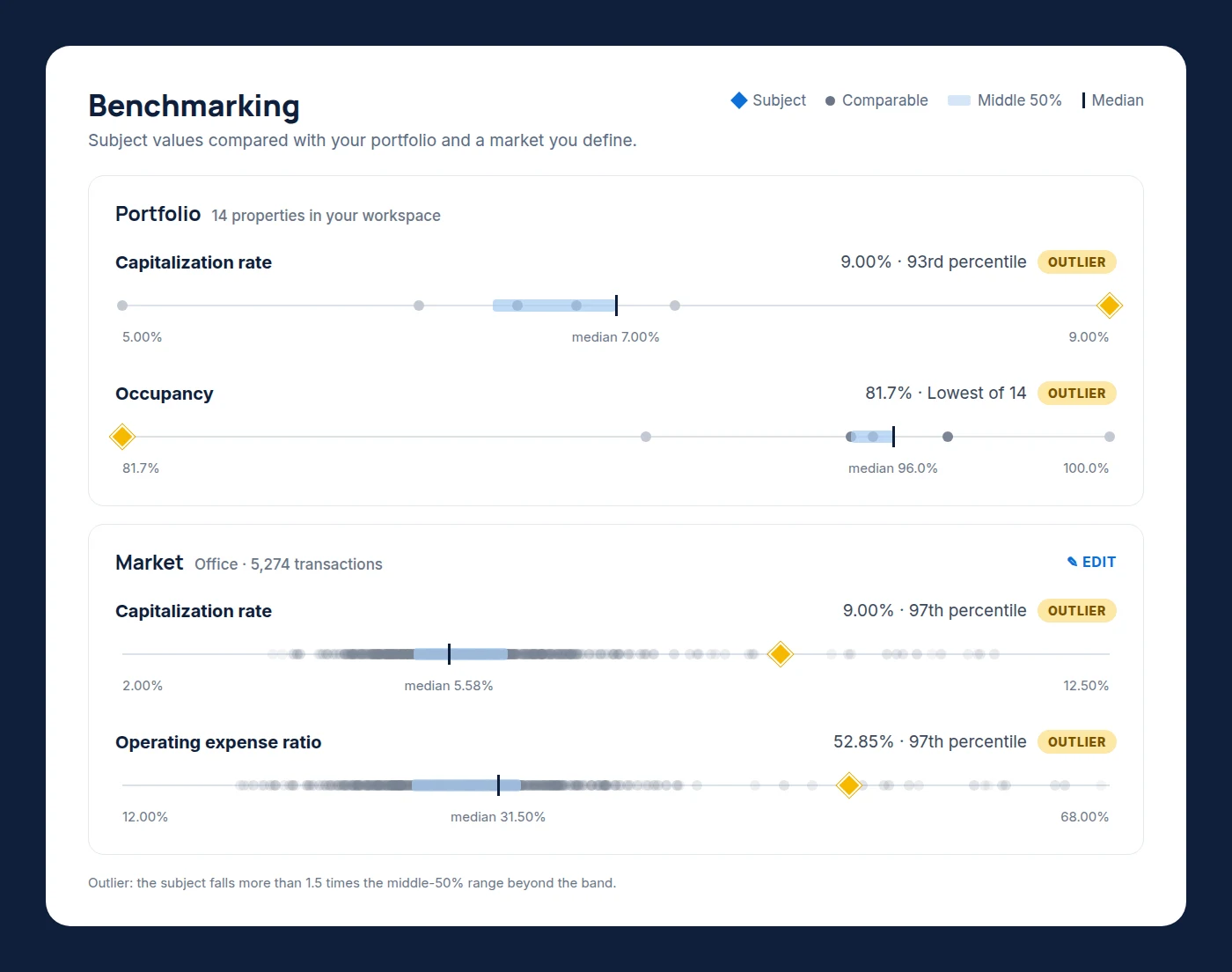
Is that cap rate reasonable?
Cap rate, expense ratio, price per SF and occupancy, compared with your portfolio and a market you define. Outliers are flagged, with the percentile beside each value.
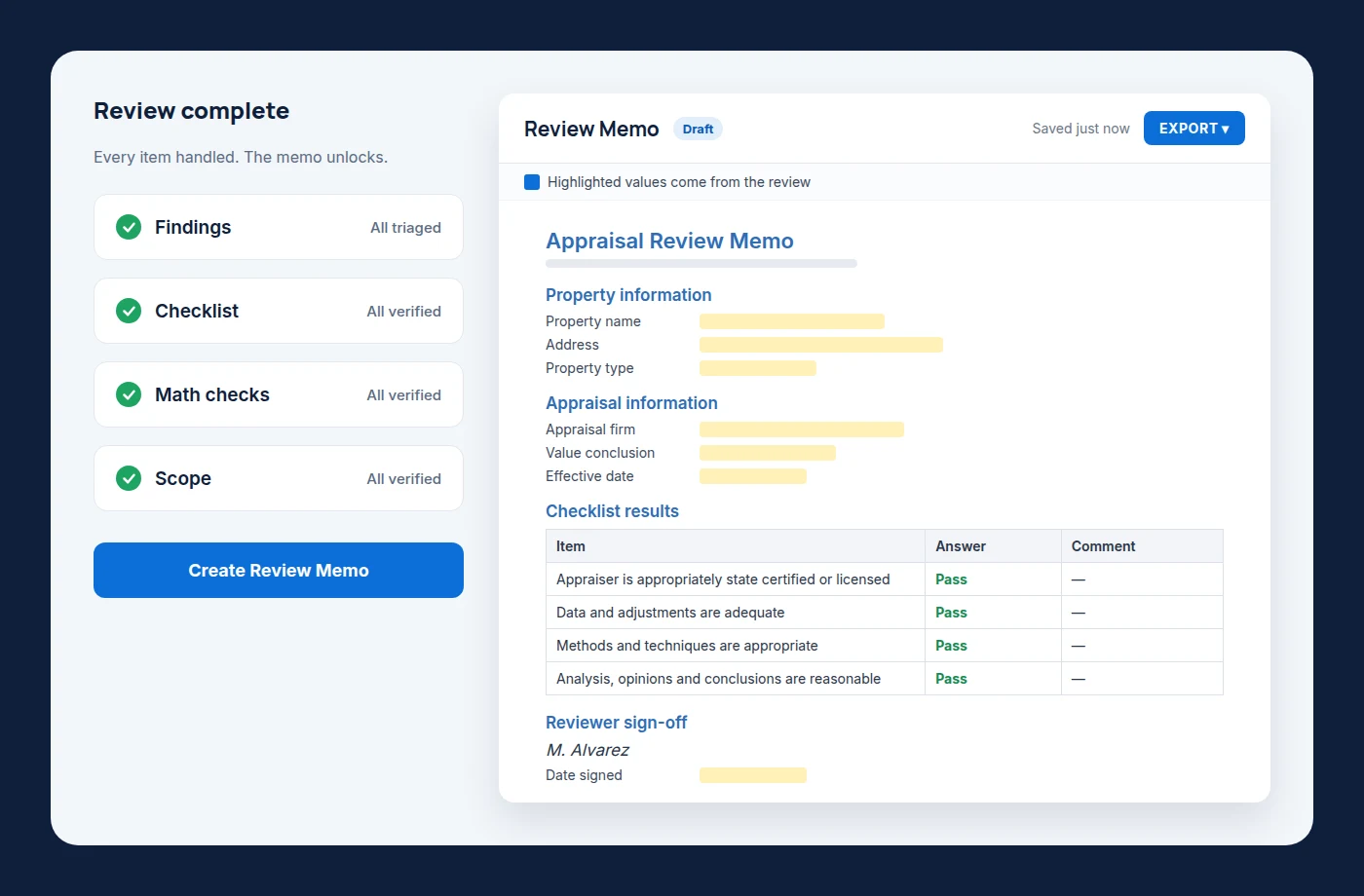
It all flows into your review memo
Findings, checklist, math and scope roll into a draft memo. Edit, sign and export.
Built for your whole credit risk team
At banks and credit unions, reviewers, chief appraisers, credit and audit all rely on the appraisal long after review. Here’s how chief appraisers put it.
Once we’ve blessed it and we sign off on it, we own that appraisal now. And that appraisal will last forever.”
The information that we pull out of the appraisal reports are really being relied upon as an effective tool for credit risk departments.”
AI is going to give everybody… the ability to look at reports and pick out low-hanging fruit of inconsistencies… and spend more time focusing on the valuation issues.”
Bank chief appraisers on our Lenders’ Perspective webinar. Read the recap
Already reviewing with a chatbot?
Many chief appraisers tell us they’ve built their own prompts. It’s fast. It’s also hard to defend.
Two reviewers, two standards
Every reviewer’s prompts are a little different, so every review is too.
With Report ReviewOne checklist, configured for your bank, and key figures recalculated from the report’s own inputs.
No record of why
When someone asks why a report was accepted, the answer is in a chat window that’s gone.
With Report ReviewEvery verification is stamped with who made it and when. Overrides need a written reason.
Borrower data in an unreviewed tool
Rent rolls and operating statements pasted into a service your security team never approved.
With Report ReviewA vendor your security team can review: SOC 2 Type 2 and ISO 27001, and AI providers that don’t train on your data.
Cited. Calculated. Controlled. Recorded.
Built to hold up in front of an examiner. The AI assists. Your reviewer signs.
The data behind your market benchmarks
Market benchmarks draw on Market Insights: market data from 100,000+ appraisals completed on Valcre each year. It’s included with Report Review.
- Cap rates, rent trends, vacancy and sales activity
- Filter by property type and market
- Built into the same platform as your reviews
Put your BRAVE files to work
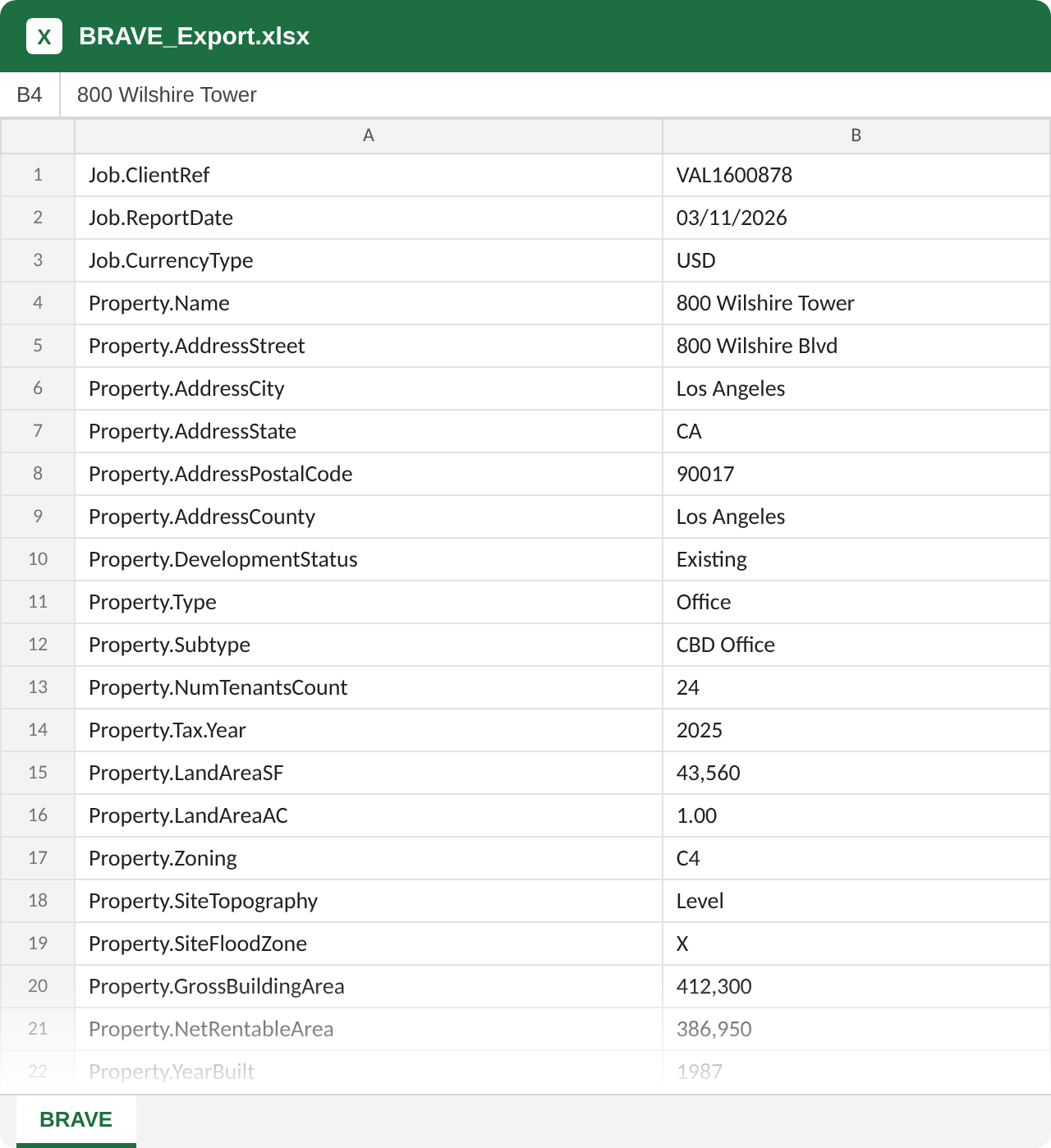
BRAVE is the lender-led, 99-field data standard for commercial appraisals. Bring the BRAVE files you receive into Valcre with the job details, and the data is ready to search and use.
ReceiveYour appraiser delivers the report and its BRAVE file.
UploadAdd the BRAVE file to Valcre with the job details.
UseStructured appraisal data, searchable across your jobs.
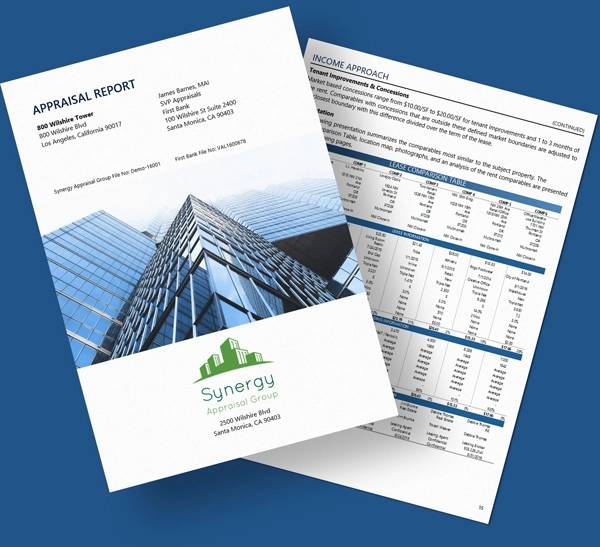
 Appraisal report (PDF)
BRAVE data file (XLSX)
Appraisal report (PDF)
BRAVE data file (XLSX)
Security and vendor review
The answers your information security team will ask for. Full security details
SOC 2 Type I and II, ISO 27001
Independently audited security controls.
Encryption and hosting
Data encrypted in transit and at rest, hosted on Microsoft Azure with redundancy, failover and disaster recovery.
Your data and AI
Our third-party AI providers don’t use your content to train their models. Terms of Service
Ready for vendor due diligence
We work through your security questionnaire with you as part of the buying process.
You won’t be setting it up alone
Implementation
We configure your checklist from our library of 50+ items and set up your review memo template with your team.
Live support, 7 days a week
8am to 8pm CT on weekdays. 9am to 6pm CT on weekends and major holidays. How support works
Built by appraisers, on the platform appraisers already use
Report Review FAQ
Have a question that isn’t here? We’ll walk through it on your demo.
Request a demoDoes the AI make the review decision?
No. Report Review prefills your checklist and shows the pages behind every answer. Your reviewer verifies each item, can override any answer with a written reason, and signs the review.
Can we use our own review checklist?
Yes. We configure Report Review from our library of 50+ standard checklist items with your team during implementation. If you need items beyond the library, we scope them with you before you sign.
Are the math checks AI?
No. Key figures are recalculated from the report’s own inputs. The same inputs always produce the same answer.
What do we upload?
The engagement letter, added when the appraisal is ordered, and the PDF appraisal report you already receive. The scope check runs against the engagement letter. You can also bring in the BRAVE files you receive with the job details.
Is Market Insights included?
Yes. Market Insights is included with Report Review. It’s the data behind your market benchmarks.
How is our data protected?
Report Review runs inside the Valcre platform, which is SOC 2 Type 2 and ISO 27001 certified. Our third-party AI providers do not use your submitted content to train or improve their models. They retain it only as long as needed to deliver the feature, generally deleting it within 30 days unless longer retention is required by law or for safety and security purposes. Valcre may use data generated through the service, including data processed through AI features, to operate and improve the service, under the same confidentiality commitments that govern your account. See our Terms of Service.
How is Report Review priced?
Pricing is based on your institution’s total assets, across 8 tiers. See pricing.
See Report Review in action
Tell us about your review team and we’ll set up a time.
- A full review, from upload to signed memo
- How we configure your checklist
- Where your institution fits in pricing